

Table of Contents
In today’s fast-paced digital learning environment, having a smart and responsive study companion can make all the difference. That’s where MeraTutor.ai comes in – a dynamic platform designed to make learning more personalized, interactive, and intuitive.
Over the past few weeks, Meratutor has rolled out a series of feature-rich updates through versions 2.1, 2.2, and 2.3. These new MeraTutor.AI features aren’t just technical enhancements – they’re game-changers that elevate how users access content, interact with study materials, and engage with their learning ecosystem.
In this blog, we’ll walk you through the standout features from each release and show how Meratutor is becoming smarter, faster, and more user-focused with every iteration.
What’s New in MeraTutor.ai? A Look at Versions 2.1 to 2.3
In the ever-evolving world of edtech, staying ahead means constantly innovating – and MeraTutor.ai’s platform has been doing just that. With the rollout of versions 2.1, 2.2, and 2.3, Meratutor continues to refine the learning experience for students and educators alike. Here’s a walkthrough of what each Meratutor release brings to the table.
What’s New in MeraTutor 2.1?

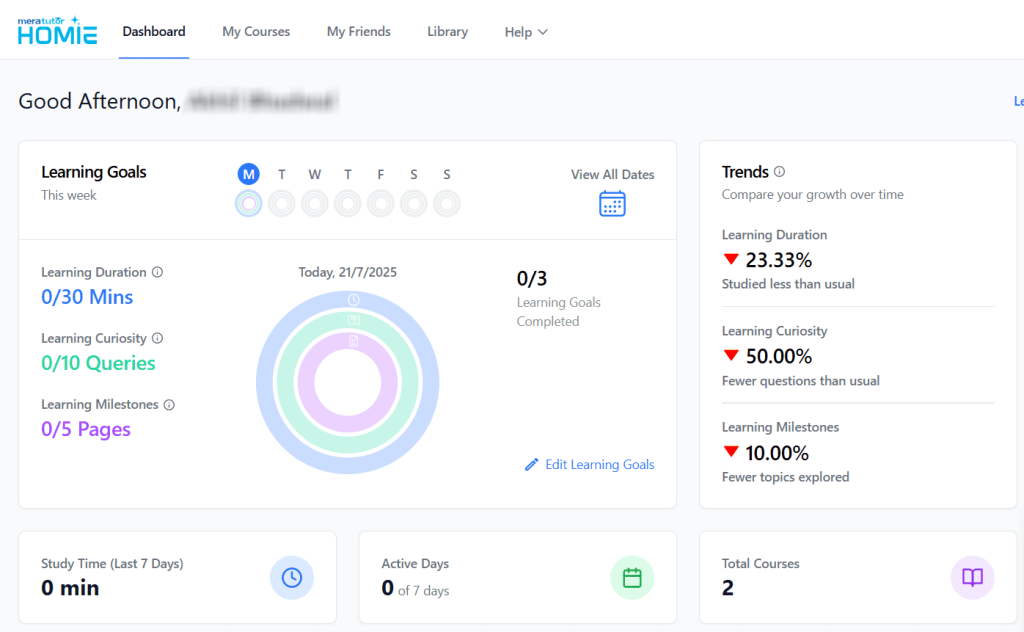
2.1 introduces seamless access to a rich repository of courses across various institutions via the new Library tab on the Dashboard. Here’s how the new meratutor feature works:
- Click on Library from the Dashboard.
- Browse through schools and institutions offering courses.

- Click on any institution to explore its course offerings.
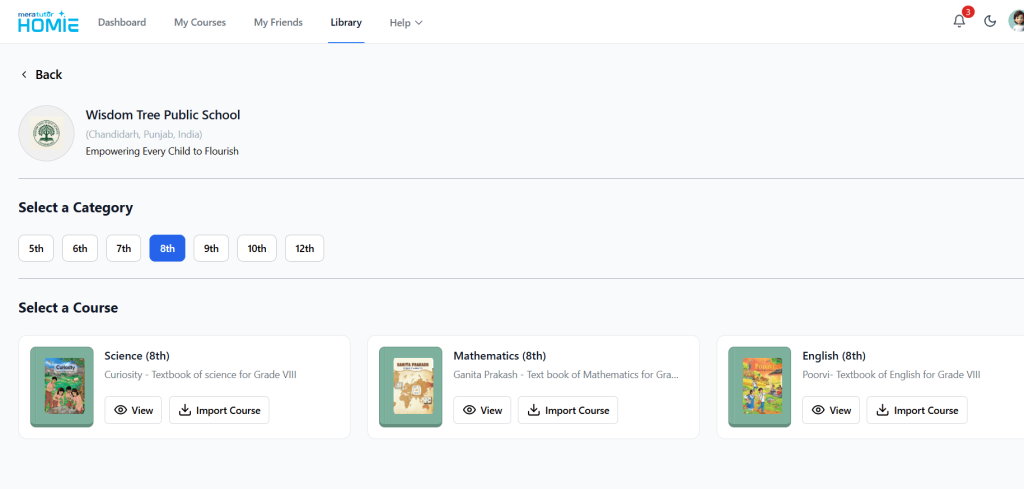
- Choose a course, input the institution password, and add it to your My Courses section.
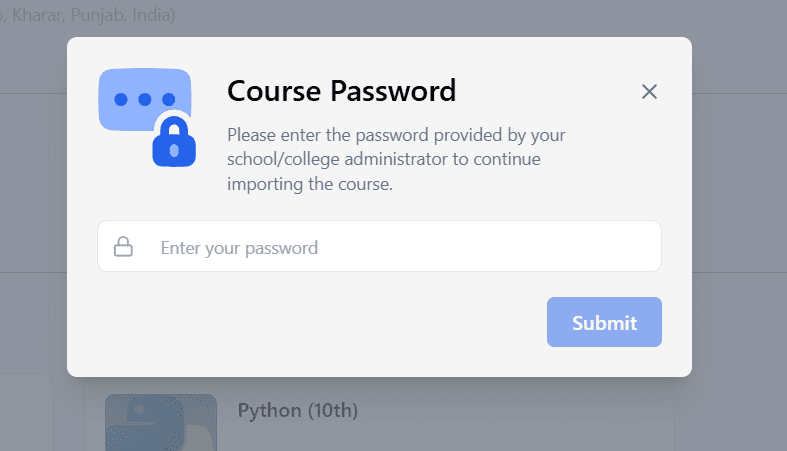
This streamlined approach makes it easier than ever to explore and join courses beyond your immediate school environment.
Highlights from MeraTutor.ai 2.2
Version 2.2 is all about boosting interactivity and productivity. Here’s what’s new:

1. WebSearch Integration
Need to look something up over the web? Now you can Google it directly within Meratutor without switching tabs from the PDF view. Simply type your query, toggle the Web Search button on, and let AI do its magic.
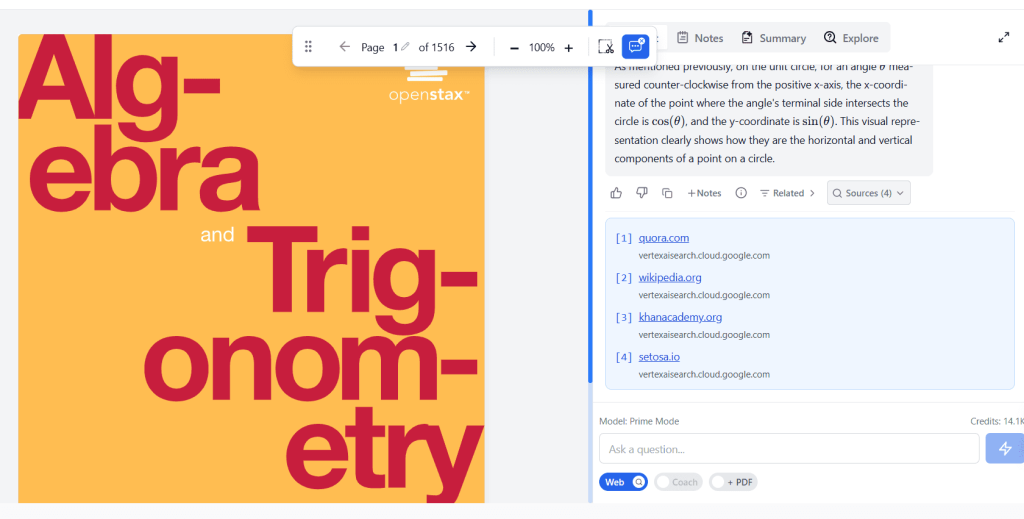
The response generated by the AI will accompany a Sources option, which will list all the web resources.
2. Smarter PDF Context
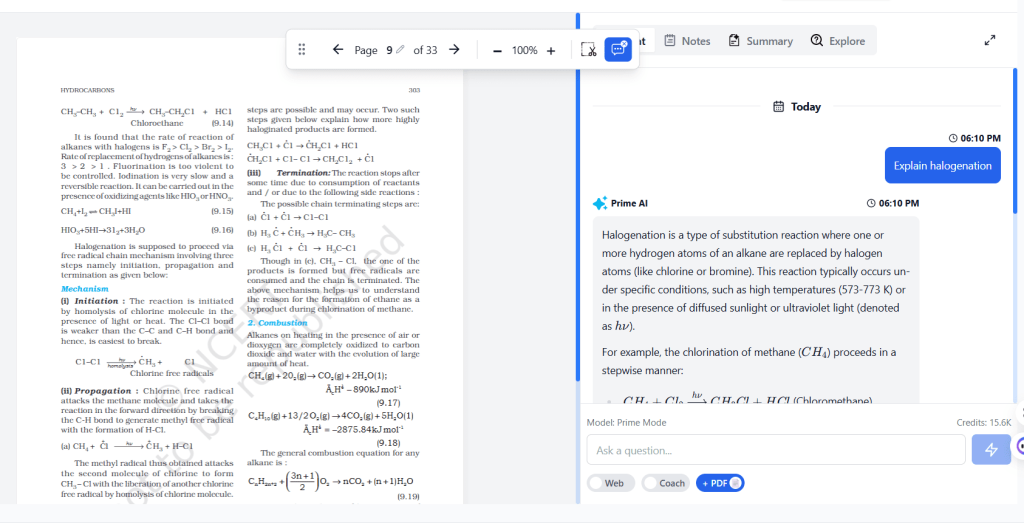
A new toggle button lets Meratutor AI take the entire PDF into account – not just the current page – when answering your questions, delivering more informed responses.
3. Share Multiple Courses
Sharing knowledge just got easier. Now users can share multiple courses in one go. To do so, simply go to your My Friends section. Click on the kebab menu (the three vertical dots) of a friend you want to share courses with and select the Share Course option.
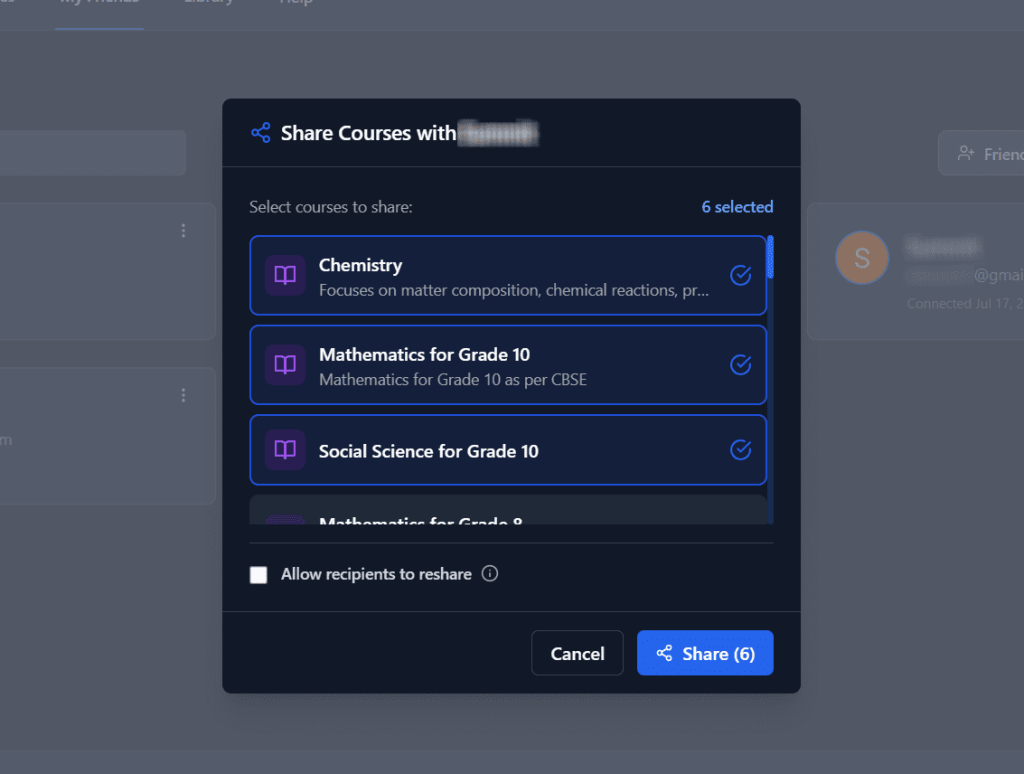
From here, you can select the courses that you want to share with your friend.
4. Token Tracking and Coach Mode Efficiency
Now the user can see how many AI credits each query consumes. Simply hover over the information (i) icon to get the number.

Moreover, Coach Mode has been optimized to use fewer AI credits, helping users make the most out of their subscription plan.
New Updates in MeraTutor.ai 2.3
2.3 doubles down on user experience and learning support with these exciting new meratutor features:

1. Refreshed My Courses UI
The My Courses section gets a visual overhaul for easier navigation and cleaner organization.
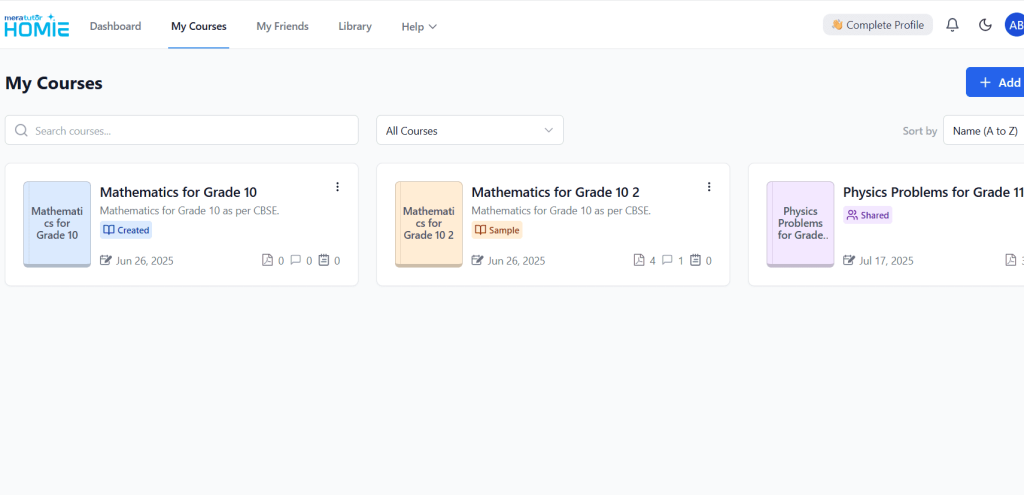
All the functionality remains intact only the visual experience gets a major uplift.
2. Built-In YouTube and Image Search
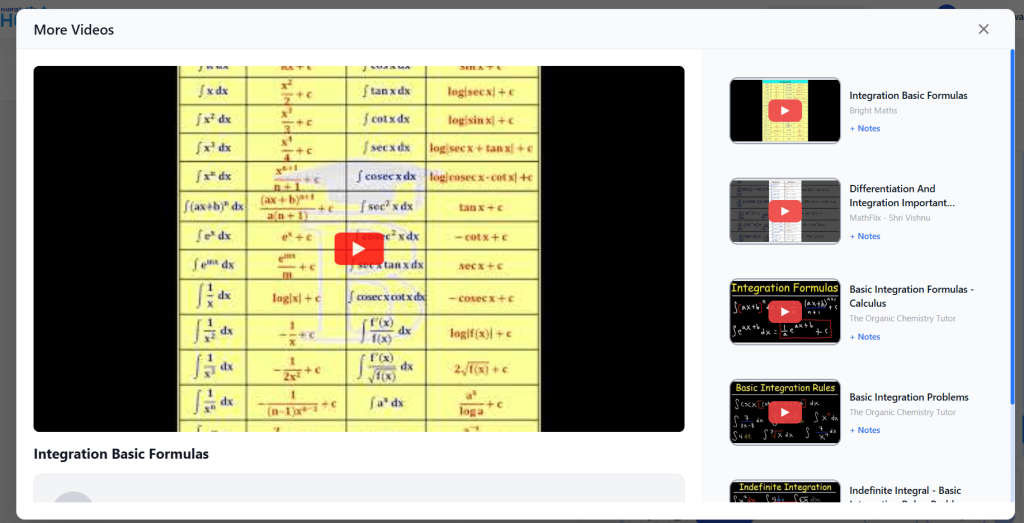
MeraTutor.ai now allows you to instantly search for educational videos on YouTube. To do so, insert your query and choose the Video mode.
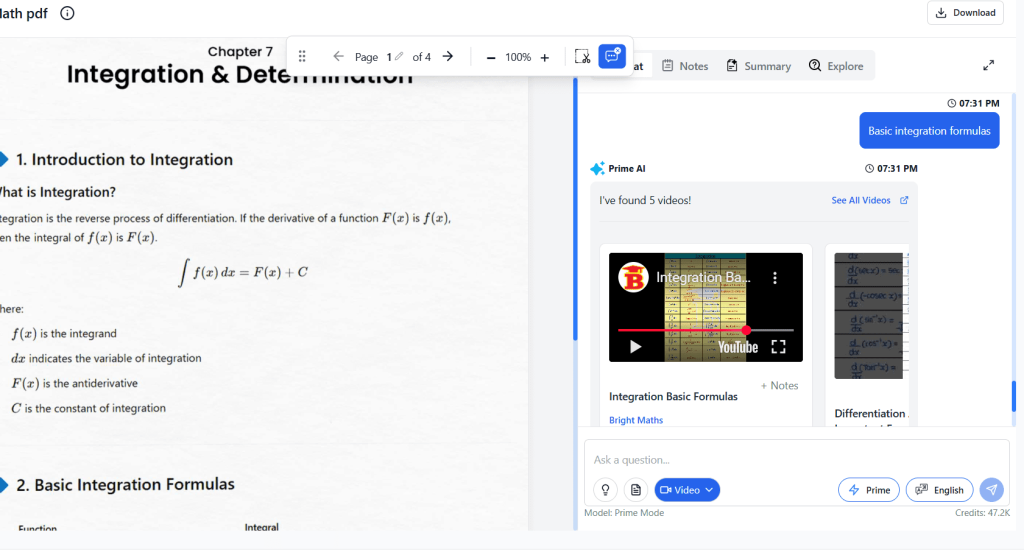
Click on the See All Videos option to open the video search in a bigger window.
Similar to Video Search, you can look up relevant images from Google – all without leaving the platform. Enter your prompt and then select the Image Search mode.
There is also a See All Images view available.
3. Detailed Learning Activity on Calendar View
You can now get a detailed view of your learning activity for a particular date, directly from the calendar.

4. Enhanced PDF View
Experience better readability and smoother navigation while working through study materials in a visually refreshing PDF view.

What is MeraTutor.ai?
Meratutor is a smart learning assistant designed to enhance how students engage with educational content on the AI tutoring platform. Acting as both a course organizer and AI-powered study companion, MeraTutor.AI helps users discover new learning opportunities, manage their study materials, and get instant answers to academic queries – all in one place.
Built with modern learners in mind, MeraTutor.AI goes beyond basic functionality. It integrates real-time search tools, interactive quizzes, AI chat features, and gamification elements to keep learning both effective and engaging. The AI tutoring platform helps children to form healthy learning habits. Whether you’re preparing for an exam, exploring a new topic, or collaborating with classmates, Meratutor ensures that your learning experience is smooth, intuitive, and tailored to your pace.
Conclusion
With each new release, Meratutor evolves to better serve its users – bringing more intelligence, accessibility, and efficiency into the learning process. Whether you’re searching smarter, learning faster, or sharing more easily, MeraTutor.AI is here to support you at every step.
As we look ahead, these enhancements set the stage for even more innovation. By listening to user feedback and anticipating the needs of modern learners, Meratutor is not just keeping up with the future of education – it’s helping shape it.
Ready to Experience the New MeraTutor.ai?
The latest updates in Meratutor are more than just feature rollouts – they're a part of a growing ecosystem built around your learning needs. Whether you’re exploring new courses, searching smarter with built-in tools, or leveling up through gamified quizzes, MeraTutor.AI is designed to keep you engaged and empowered every step of the way.

Don’t just read about it – log in to your Dashboard and explore the newest features in action if you’ve already signed up and sign up for free on
Meratutor if you haven’t yet. Discover a more connected, intuitive, and personalized way to learn. Your next breakthrough might just be a click away.
Sign Up Now
FAQs
1. How do I access the Library in MeraTutor.AI?
You can access the Library directly from your Dashboard by clicking the Library tab. From there, browse through schools and institutions, select a course, and enter the institution password to add it to your My Courses section.
2. What is the benefit of the PDF Context toggle in MeraTutor.ai?
The toggle button allows Meratutor to consider the entire PDF – not just the page you’re on – when responding to your questions. This results in more accurate and comprehensive answers during study sessions.
3. How does the new Quiz Module and XP System work in Meratutor?
The Quiz Module lets users test their knowledge while earning XP points. It’s part of MeraTutor.AI’s gamification system, which aims to make learning more interactive and rewarding.
4. Can I search for videos or images directly within Meratutor?
Yes! MeraTutor.AI 2.3 introduces built-in YouTube and Google Image search. You can now find educational videos and relevant visuals without switching apps or tabs.
5. How do I track my AI credit usage per message?
In version 2.2, MeraTutor displays the number of tokens (AI credits) used for each chatbot message, helping you monitor and manage your usage more efficiently.
